
1. Screen paths and steps
Public L0 contains non-sensitive information and can be opened before booking by anyone who knows the URL. Protected information keeps its existing access, reservation and release-time checks. For Airbnb, share the optional link after confirmation; do not recommend directing guests to it from listing descriptions or pre-booking messages.
Protected entry details can be included only after this reservation's release time. stayV does not automatically send messages to Airbnb. Send the instructions yourself when needed, and confirm that essential check-in information is also in the Airbnb conversation in case the guide is unavailable.
- Property management → Edit: save Location, Arrival and Stay instructions, including check-in and checkout, then preview.
- Plus and above: connect iCal in Reservations, compare dates and confirm the stay. Automatic Airbnb reservation confirmation and confirmation-code reuse remain separate settings; existing defaults and manual-code priority are unchanged.
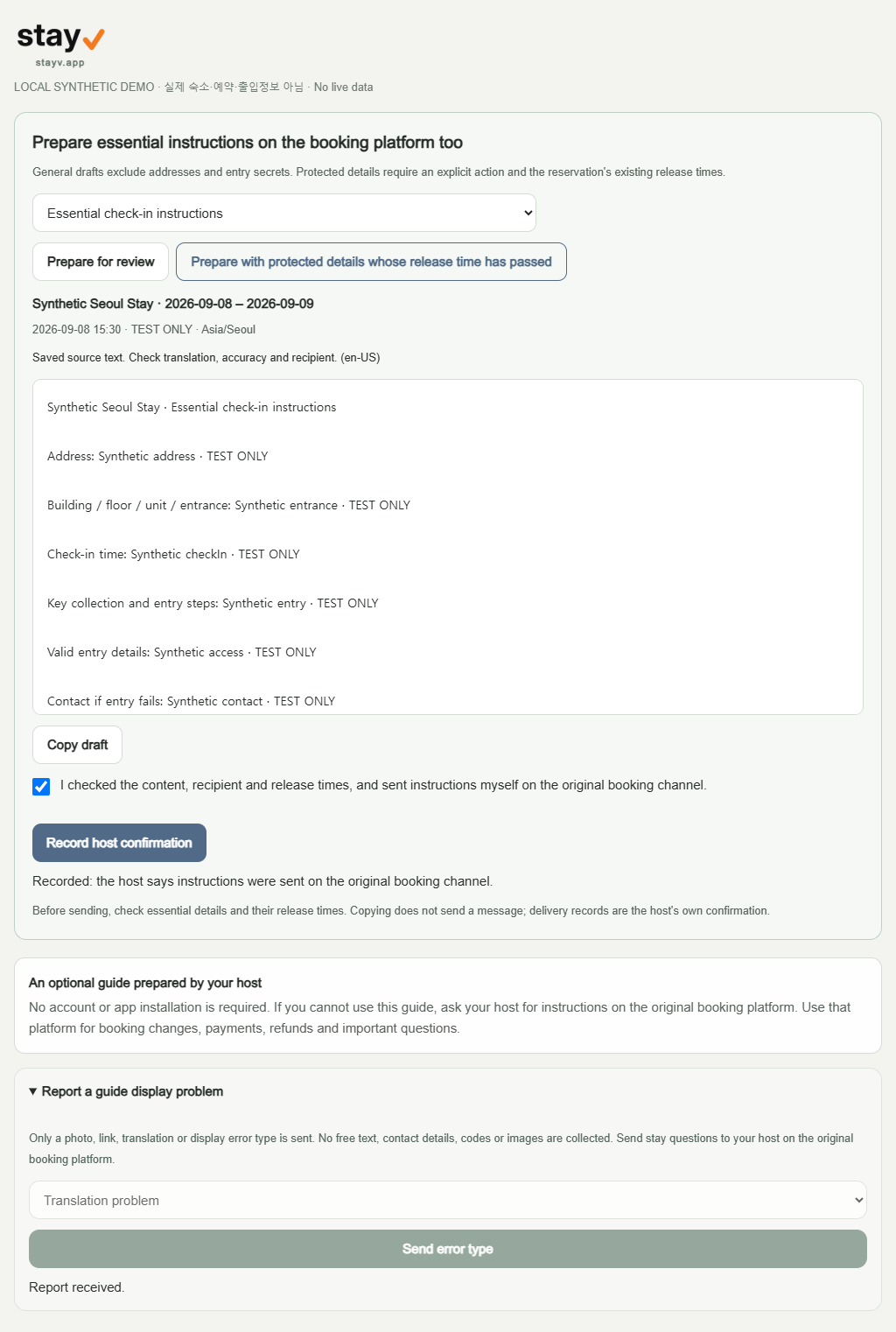
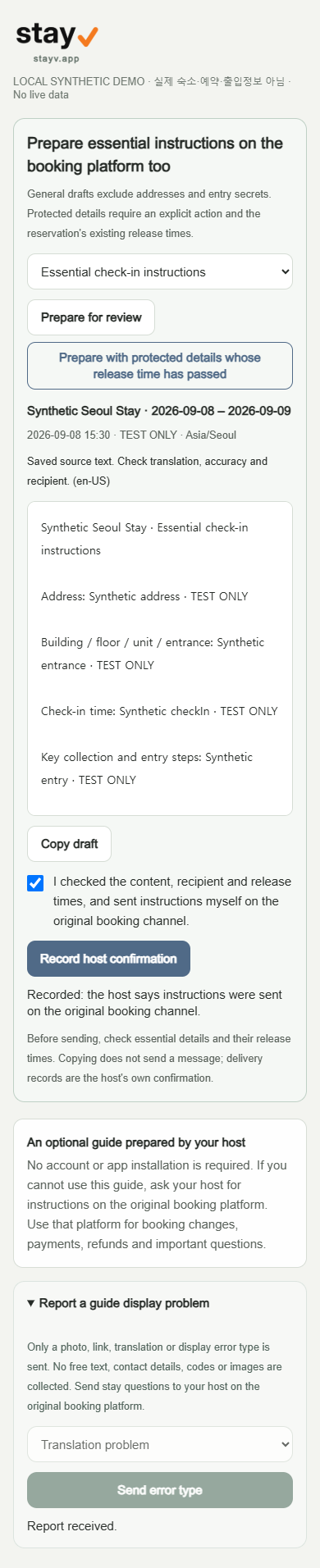
- Reservations → select the reservation → Reservation messages: choose booking confirmation, essential check-in or essential checkout.
- ‘Prepare for review’ creates an unprotected draft. To include address/entry details whose existing release time has passed, explicitly use ‘Prepare with protected details whose release time has passed’.
- Check the recipient, property-local time and missing fields. Complete missing source details in the editor or reservation access panel, then prepare again. Review translation of saved source text.
- Copy the draft and send it yourself on Airbnb or the original booking channel. Only after doing so, tick the confirmation and record the host confirmation.
General drafts exclude addresses and entry secrets. Protected details require an explicit action and the reservation's existing release times.
2. Airbnb code versus manual code
Use the access method specified by your host. For an Airbnb booking, your host may specify its confirmation code as the guide access value. For a separate stayV Guide Code, use the code your host sent. Never enter your Airbnb account password or a one-time verification code (OTP). A guide access code is different from the door code.
A. iCal detection: stayV can detect a confirmation code from a supported reservation-details URL in the Airbnb iCal. An arbitrary UID is not a guide code.
B. Host entry: if detection is unavailable, an authorized host can enter the confirmation code for the corresponding reservation linked to an active Airbnb source. This is a separate origin and format validation, not Airbnb identity verification. Only an irreversible verifier is stored; the original cannot be recovered from its hash. Consult the Airbnb reservation details to see it again.
An Airbnb confirmation code is used only for this property's Guide access verification, not Airbnb account login, official identity verification, booking changes or payment. Authorized 'View confirmation code' re-reads the iCal source and shows the result for 30 seconds; it does not reverse a hash.
C. Separate stayV Guide Code: a host-created manual access method. A verifier and an encrypted host-readable copy are stored, unlike a provider code. Automatic sync preserves a host-selected manual code. Explicit mode switching and manual-code viewing/copying remain.
Free shared codes are managed from the published property's access-code controls in Property management. A shared code is not identity verification. Plus reservation access is managed in Reservations; existing shared-code exceptions, cancellation, expiry and release times still apply.
3. Source changes and records
Changes to addresses, times, entry details or guidance mark prior confirmation for review. Shared guidance can affect other stays, so the same workspace is conservatively flagged. Copying does not mean sent; existing unconfirmed stays are not mass-confirmed. Review status never locks guest access.
Before sending, check essential details and their release times. Copying does not send a message; delivery records are the host's own confirmation.
4. Guest reports versus internal operations
New guest arrival/checkout input, requests, chat and generative AI are paused. Historical GUEST_REPORTED records keep existing retention (arrival/checkout state is deleted within 30 days after scheduled checkout). Record only necessary booking-channel facts in reservation notes (HOST_RECORDED). Operations checkout, cleaning, preparation, access checks and READY remain actual staff verification (STAFF_VERIFIED), never automatically completed by guest reports.
Guest generative AI and external AI connections are not currently provided. Reading the guide or protected information does not require AI use or consent. Host AI and content translation are separate features. Any future Guest AI offering requires a separate review.
5. Report a guide display problem
Only a photo, link, translation or display error type is sent. No free text, contact details, codes or images are collected. Send stay questions to your host on the original booking platform.
6. Sharing, photos and PDF review
In Property editing → Publish settings → Pre-publish checklist, review the full list and select the final confirmation checkbox.
Public QR contains only the normal guide URL; public PDF contains L0 information. Do not put protected codes, addresses or contact details in URL queries, public QR/PDF or screenshots. Wi-Fi QR remains a separate explicit function with a recipient check. Guest guides exclude payment, direct-booking, signup, stay-survey and affiliate sales CTAs. Stored host text is preserved; review existing images, QR and free text yourself.
For Airbnb guest guides, do not include direct booking, external accommodation payments, bank transfers, next-stay discounts, newsletters, guest email/phone collection, stay surveys or external review requests. Review existing text, photos and QR codes yourself. Maps, taxis and official visitor information may remain. Automatic filters cannot assess every item.
Do not use this guide to direct pre-booking Airbnb visitors to external contact or lodging transactions. Public phone, messenger, direct-booking, external accommodation payment, marketing, stay-survey, photo and QR content is restricted. Keep essential check-in instructions on the original booking platform too. Automated checks cover text and known link formats, not every image pixel or disguised expression. Review the listed items and existing photos and QR codes yourself.
7. Guide outage, blocked message or platform warning
Prepare essential address, times, entry sequence, valid access details and checkout steps on the original booking platform even if a guest does not use stayV. If a link is blocked, provide essential text in that conversation; do not evade filters using short links or QR codes. On a warning, consider pausing new link sharing, secure essential platform instructions, record the issue/version and contact official support. Do not automatically block every existing guest's guide.
stayV is independent. Individual Airbnb approval and freedom from policy risk are not confirmed.